Script
The Script activity allows you to execute C# code within your workflow to perform calculations, manipulate data, or create workflow variables.
Purpose
Use the Script activity to:
- Create or update workflow variables
- Perform calculations or data transformations
- Execute custom logic that doesn't require conditional branching
- Set values that will be used in subsequent workflow steps
Configuration
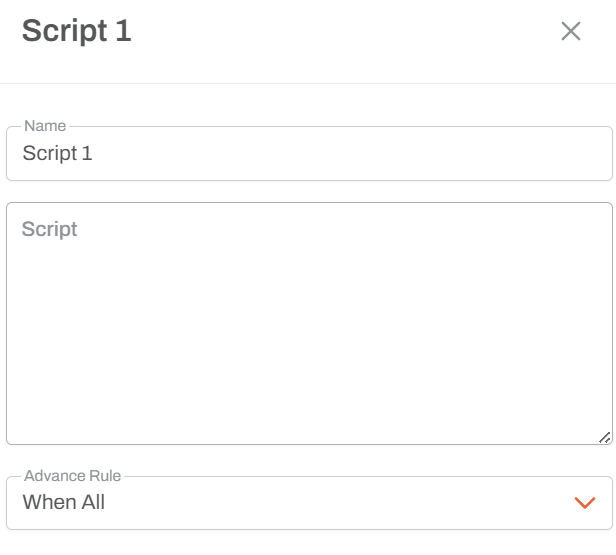
Code Expression
- Write C# code that performs an action
- Can create new workflow variables or update existing ones
- Code is executed at runtime
Single Exit Path
- Unlike the If activity, Script has only one outcome path
- Execution always continues to the next connected activity
Example Scripts
Creating a Date Variable
{Year} = DateTime.Now.Year
Creates a workflow variable called "Year" with the current year
Using Parameter References
{ProcessDate} = DateTime.Now
Calculations
{Total} = {Quantity} * {Price}
Variable Syntax
- Create/Update Variable:
{VariableName} = value - Reference Variable:
{VariableName} - Variables persist throughout the workflow execution
- Variable names are case-sensitive
Usage Notes
- Not for Regular Users: This activity requires C# programming knowledge
- Advanced Use Cases: Primarily used when standard activities don't meet specific needs
- Variables Scope: Variables created are available to all subsequent activities in the workflow
- Type Safety: All variables are evaluated and typed at runtime
- You can use any C# expression that produces a value
- Variables can be shortened names or shortcuts to longer parameter references
Common Patterns
Date Extraction
{CurrentYear} = DateTime.Now.Year
{CurrentMonth} = DateTime.Now.Month
Variable Shortcuts
{Year} = {FinancialYearParameter}
Create a shorter variable name for easier reference
String Manipulation
{FullName} = {FirstName} + " " + {LastName}
When to Use
- When you need to create intermediate values for later use
- When standard activities don't provide the specific transformation you need
- When you want to simplify complex parameter references
- For advanced workflow developers only