Clear State
The Clear State activity resets the visual status of specified workflow activities from green (completed) back to gray (pending).
Purpose
Use the Clear State activity to:
- Reset activity states when looping back in workflows
- Visually indicate that activities need to be re-executed
- Improve workflow visualization after rejection or retry scenarios
Configuration
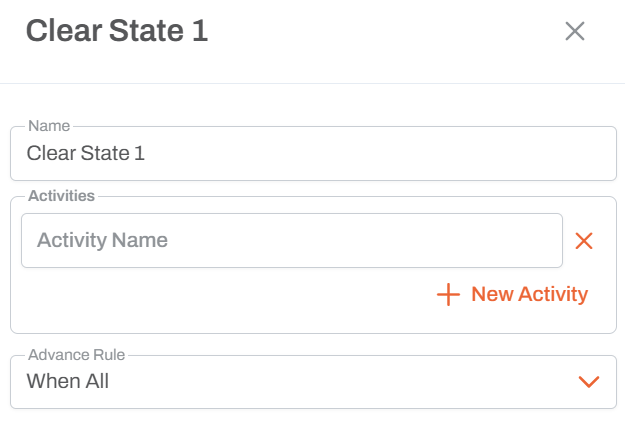
Activity Selection
- Select one or more activities whose state should be reset
- Activities are referenced by their names
- Can reset multiple activities at once
Behavior
- Visual Only: This is purely a visual change in the workflow diagram
- No Functional Impact: The workflow logic continues to work without this activity
- Status Change: Changes activity color from green (done) to gray (pending)
- Execution: The activities will need to be completed again as the workflow progresses
Common Use Case: Approval Rejection Loop
Without Clear State
Data Load ──> Approval ──[Rejected]──> Correction Action ──> Loop back to Data Load
Problem: When looping back, Data Load and Approval still show green even though they need to be redone.
With Clear State
Data Load ──> Approval ──[Rejected]──> Clear State (reset Data Load, Approval) ──> Correction Action ──> Loop back
Benefit: Data Load and Approval turn gray, clearly indicating they must be completed again.
Example Configuration
Scenario
- Data Load activity completes → Green
- Approval activity completes → Green (but rejected)
- Clear State activity executes → Data Load and Approval reset to Gray
- Workflow loops back to Data Load
- User can see that both activities need to be redone
Activities to Reset
Typically reset:
- The activities that need to be re-executed
- Any activities between the Clear State and the loop target
Usage Notes
- Purely Visual: Does not affect workflow execution logic
- User Experience: Improves clarity for users working through workflows
- Audit Trail: Actual execution history is preserved; only current visualization changes
- Optional: Workflows function correctly without it, but are less clear visually
- Loop Scenarios: Most useful in workflows with loops and retry logic
Best Practices
- Use in rejection and retry scenarios
- Reset all activities that genuinely need re-execution
- Place Clear State activity before looping back
- Don't overuse - only reset activities that will actually be re-executed
- Consider user experience when deciding which activities to reset
Technical Note
The workflow maintains two separate concepts:
- Execution History: Permanent record of what was executed (preserved)
- Current State: Visual representation for active workflow (modified by Clear State)
Clear State only affects the current state visualization, not the execution history.