Models
You can create, edit, add dimensions to, and delete your models under the models section. Each model has to have at least one Account, Scenario, and Time dimension to be valid.
If a model is created without a Stage dimension, then it will not have any RevIQ specific database objects. Most importantly, the Metrics will be the only fact table (no Stats, Cohorts, etc.). You are able to add or remove a Stage dimension to an existing model. Once you click the Process button, it will either generate or delete the Rev IQ objects as needed. Caution: If you remove a Stage dimension by mistake, all fact tables will be dropped. For models that include a Stage dimension, the Account dimension must contain at least one member for each of the following KPI types: Days, Volume, and ARR. If these members are missing, you won’t see a warning right away. The error only appears when you click Process, and the operation will fail. For Stage-less models, these KPI members (Days, Volume, Display) are not required.
Adding a new model
- Click the "Add new +" button, for the following modal to appear
- Name the model
- Model Roles: If the model is going to be the default one then assign it as the default, otherwise leave blank
- Model Type: Choose between standalone or submodel
- Parent Model: Only applicable if submodel is selected for Model Type

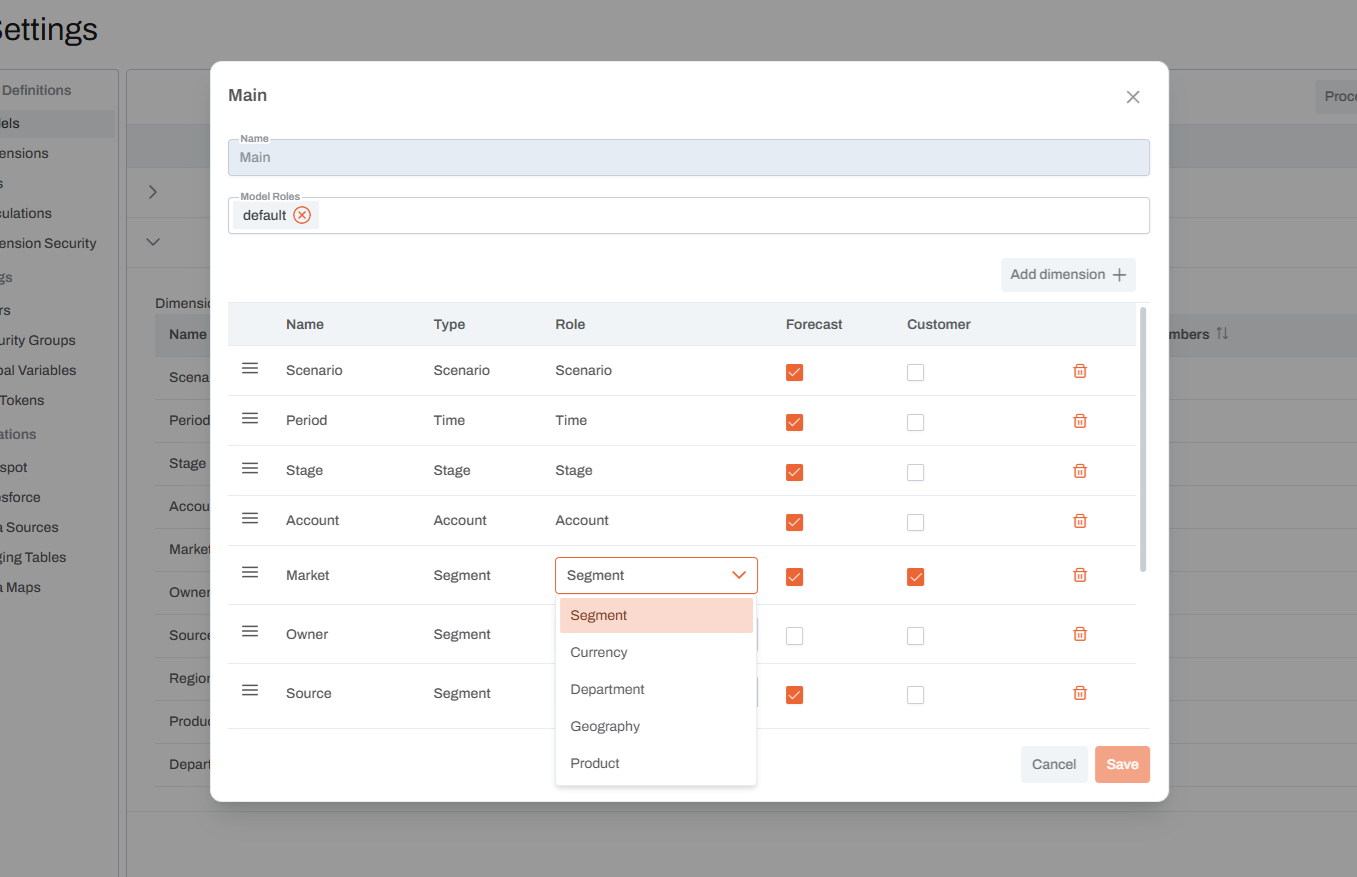
Assigning Dimensions
- Click on add dimensions dropdown and select the dimension
- Repeat for all dimensions intended to add to the model
- Define the Forecast (Applicable to scenario modeling) and Customer dimensions and then Save
Once all dimensions are added to the model, click the Process button at the top. This will move the members from the Dim_MM tables to the Dim_PC tables.