Hierarchy Manager
The Member Editor allows you to view and manage members within a dimension or hierarchy. It provides a flexible, user-friendly interface for editing member details and organizing hierarchies.
Viewing and Organizing Hierarchies
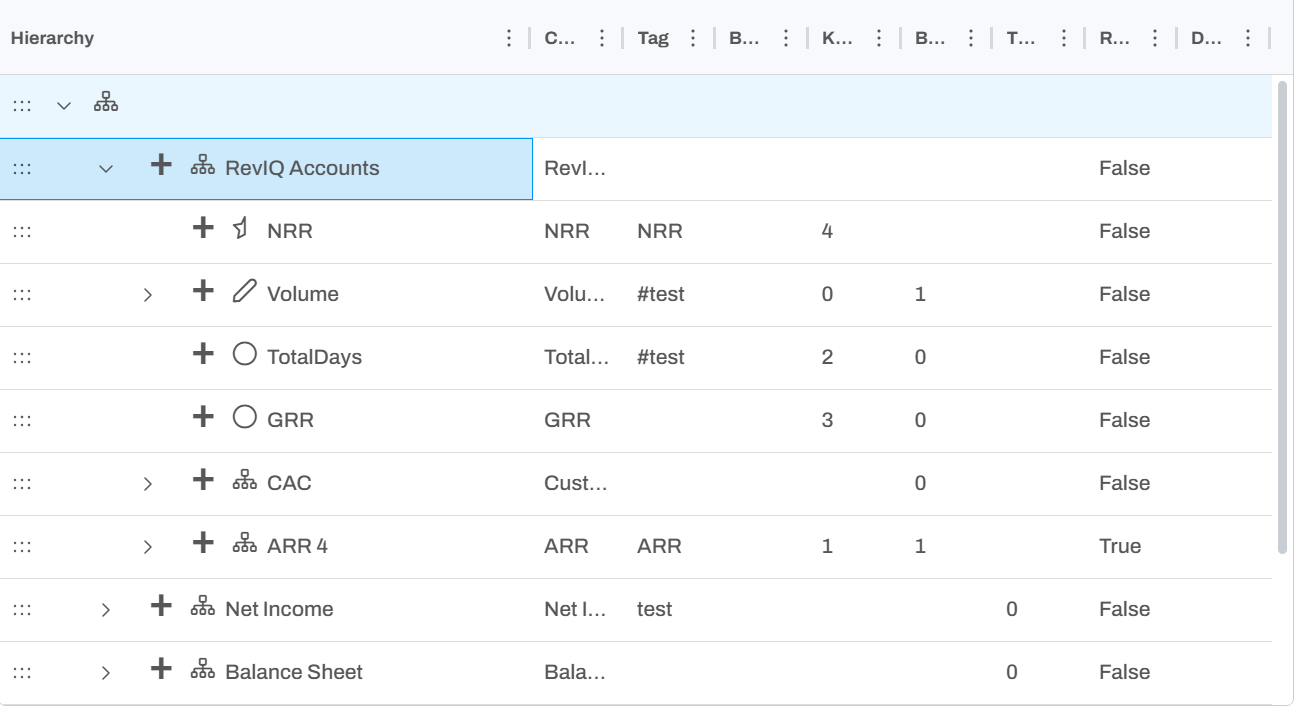
The Member Editor displays the hierarchy's members in a folder structure. You can expand or collapse a member's children by clicking on the arrow.

The search bar at the top allows you to quickly find a member. You can search by a member's name, captions, tag or any of the dimension properties.
Clicking on the three dots will allow you to drag the member to re-organize. The default will drop as a child, allowing you to move one member into another. If you hold shift, it will drop as a sibling, which will allow you to re-order the members.
Editing a member's data
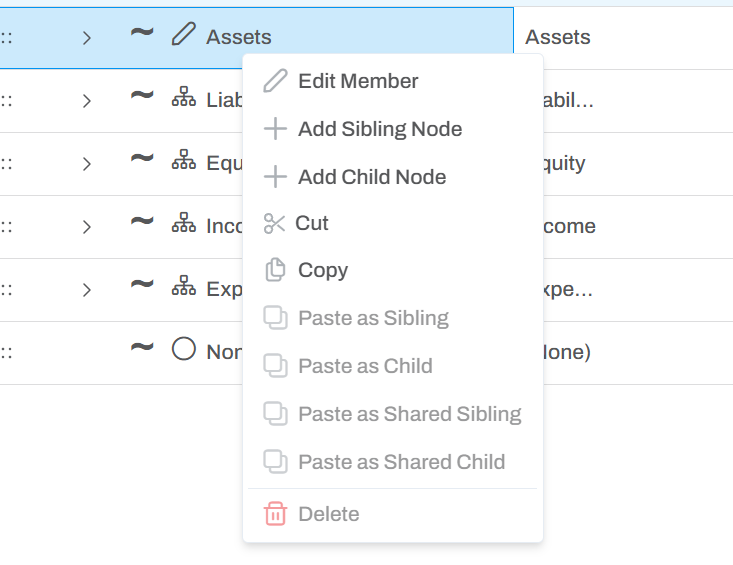
Right clicking on a member will open a context menu, which will show various actions for editing the hierarchy.